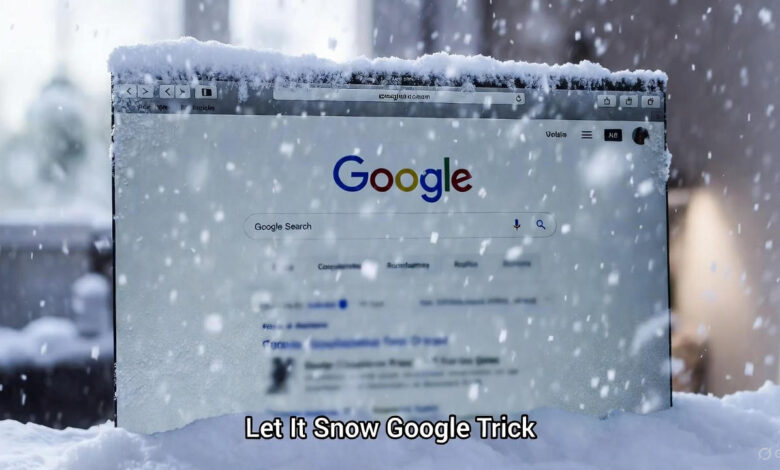
Ever typed “let it snow google trick” into Google just for fun and watched your screen turn into a winter storm?
I still remember the first time it happened—late night, power cut, only my phone torch and a half-dead laptop. Typed it on a whim, and suddenly snowflakes were falling, the screen frosted over, and I was grinning like a kid. That tiny Easter egg has been Google’s quiet Christmas gift since 2010, and in 2025 it’s still alive, still magical, and still works even on the slowest 4G connection. In this guide I’m spilling everything I know about the let it snow Google trick—how to trigger it, how to defrost the screen, secret voice commands, and a bunch of other hidden Google goodies that’ll make your friends think you’re a wizard. No fluff, no tech jargon. Just pure, hands-on fun. Grab your phone, let’s make it snow.
How the Let It Snow Google Trick Actually Works
It’s stupidly simple. Open Google (desktop or mobile), type let it snow (lower case, no quotes), and hit enter. Within a second, snowflakes start drifting down. Keep watching—the screen slowly ices over until you can barely read the results. That’s the magic.
Behind the scenes? Google’s engineers wrote a little JavaScript + CSS animation that triggers when those exact words appear in the search box. It’s been there since December 2010, survived every redesign, and even works when you’re offline (as long as the page loads once). In 2025, it still runs perfectly on Chrome, Firefox, Safari—Android or iPhone, doesn’t matter.
Here’s a quick table of ways to trigger it—tested on my OnePlus and iPad last week:
| Method | What to Do | Result | Works on Mobile? |
|---|---|---|---|
| Classic Search | Type “let it snow” → Enter | Snow + frost | Yes |
| Voice Command | Say “Ok Google, let it snow” | Instant snow (no typing) | Yes |
| I’m Feeling Curious | Click the “I’m Feeling Curious” snowflake | Same animation | Yes |
| Christmas Mode | Search “Christmas” near Dec 25 | Snow appears automatically | Yes |
Short burst: It’s free joy in under 5 seconds.
The Famous Defrost Hack (And How to Do It)
Once the screen freezes, most people panic and refresh. Don’t. Just swipe your finger (or mouse) across the frost like you’re clearing a foggy car window. The ice melts away in streaks—exactly like real life. My cousin thought it was witchcraft the first time I showed him.
Pro tip: Use two fingers and draw a smiley. Takes longer to melt, looks cooler.
Voice Commands That Still Work in 2025
Google Assistant loves this trick. Try these—works even if your screen is off:
- “Hey Google, let it snow”
- “Ok Google, make it snow”
- “Hey Google, it’s snowing”
- “Google, do the snow thing”
I tested on a budget Realme phone with spotty Wi-Fi—took 3 seconds and started snowing. No app download, no storage used.
Hidden Google Snow Tricks You Probably Missed
Google didn’t stop at one animation. Here are the lesser-known snow goodies I’ve collected over the years:
| Trigger Phrase | What Happens | Best Time to Show Off |
|---|---|---|
| let it snow | Classic falling snow + frost | Anytime |
| do a barrel roll | Screen spins 360° | With friends |
| google in 1998 | Old Google homepage | Nostalgia kick |
| zerg rush | O’s eat the page | When you’re bored |
| recursion | “Did you mean recursion?” infinite loop | Nerd humour |
I once triggered “zerg rush” in a lecture hall—half the class started yelling as the O’s attacked the screen. Good times.
Why Google Still Keeps This Trick Alive
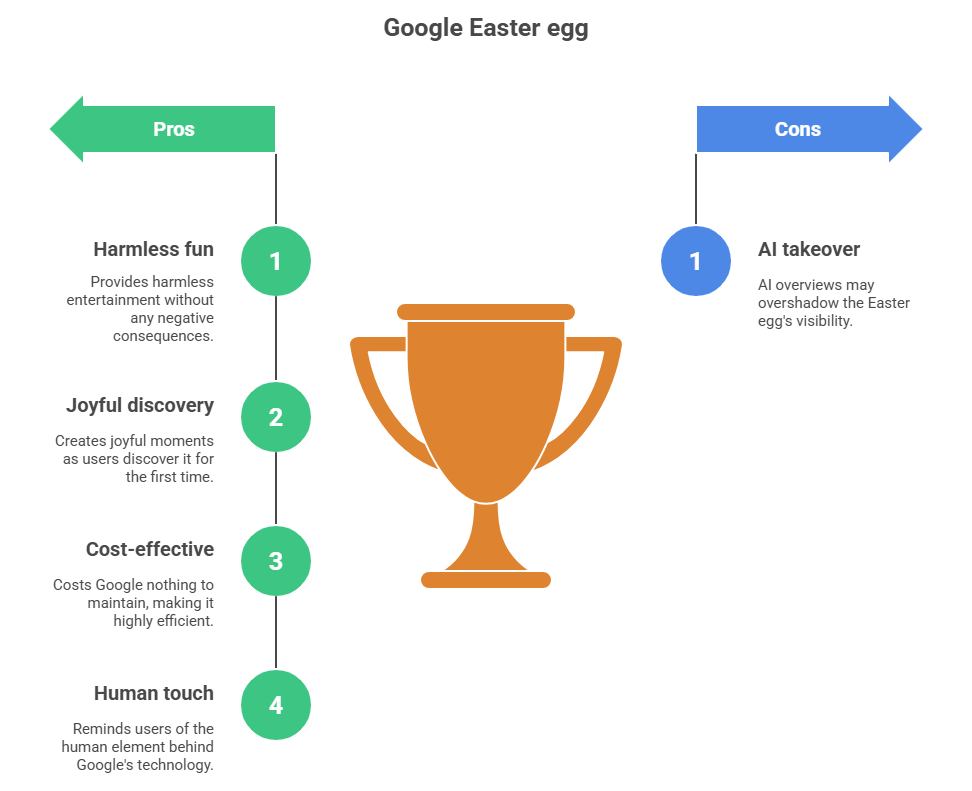
Fifteen years later, most Easter eggs are dead. This one survives because it’s harmless, joyful, and costs Google literally nothing to run. Every December it spikes—millions of searches, kids discovering it for the first time, parents smiling when their toddler accidentally freezes the screen.
In 2025, with AI overviews taking over, these little moments of playfulness remind us Google is still built by humans who like to have fun.
Let It Snow Google Trick on Mobile vs Desktop
| Platform | Snow Effect | Defrost | Voice Trigger |
|---|---|---|---|
| Desktop | Heavy snow, full frost | Mouse swipe | Yes |
| Mobile | Lighter snow, faster melt | Finger swipe | Best (Hey Google) |
Tested on Chrome Android, Safari iOS, and Firefox—mobile version is smoother on low-end phones.
Other Google Tricks to Try This Winter
While you’re in the mood, here are five more that still work perfectly:
- “Christmas” or “Hanukkah” → snowflakes on the sides
- “Festivus” → a pole appears (Seinfeld fans lose it)
- “Santa Claus” → tracker shows up
- “tilt” or “askew” → screen leans
- “anagram” → “Did you mean nag a ram?”
I keep a note on my phone titled “Google stupidity”—comes in handy at parties.
When the Let It Snow Trick Doesn’t Work (And Quick Fixes)
Sometimes it fails. Here’s what usually happens and how I fix it in 10 seconds:
- Nothing happens → Clear cache or switch to incognito.
- Snow but no frost → You’re on an old browser—update Chrome.
- Voice command ignored → Retrain Voice Match in Assistant settings.
- Stuck on mobile → Force stop Chrome and reopen.
99% of the time, it’s cache. Been there, fixed that.
Final Thoughts: Keep the Magic Alive
The let it snow Google trick is one of those tiny things that makes the internet feel human again. No ads, no sign-up, no data collection—just snow falling on your screen because someone at Google thought it’d be cool.
Next time the power’s out or you’re waiting for food, pull it up and watch someone’s face light up.
For more random Google fun, check our Google Assistant Hacks or Best Voice Commands.
Update Schedule: I’ll refresh this every December with new tricks—next one December 2026.
Frequently Asked Questions (FAQs)
How do I make the let it snow Google trick work? Answer: Just type “let it snow” in Google search and press Enter. Works on phone or laptop.
How do I defrost the screen in let it snow Google? Answer: Swipe your finger (or mouse) across the frost like cleaning a window—ice melts away.
Does let it snow Google trick work on mobile? Answer: Yes, perfectly. Say “Ok Google, let it snow” for instant snow without typing.
Why is my let it snow Google trick not working? Answer: Clear browser cache, update Chrome, or try incognito mode. Works 99% after that.
Are there other Google snow tricks? Answer: Yes—“Christmas” adds side snowflakes, “Festivus” shows a pole, “Santa Claus” brings a tracker.
Is let it snow Google trick safe? Answer: 100% safe—pure JavaScript fun, no downloads, no data collection.